
Published 23 July 2026. Last updated 27 July 2026. By Aaron Price, Founder of Wyzed.
In short: Rolling out training software across an NDIS workforce is not a software project — it is a workforce project. The tool is the easy part; the hard part is getting shift-based support workers, who often share devices and don't check email, to actually complete their training, and doing it without opening an audit gap while you switch systems. This guide is the step-by-step playbook: audit what you're replacing, migrate records without losing evidence, roll out by role, solve frontline access, drive real completion, and turn the whole thing into audit-ready evidence as you go.
Most "how to choose training software" guides stop at the buying decision. This one starts after it — the part almost nobody writes about, and the part that decides whether your investment actually gets used.
Quick answer: To roll out NDIS training software successfully, (1) audit your current training records and expiry dates, (2) migrate them across without an audit gap, (3) sequence the rollout by role — support workers first, then leaders, then admin, (4) remove the access barrier for frontline staff with mobile, no-password links, (5) drive completion with automated reminders rather than manual chasing, and (6) map each step to the audit evidence it produces. Done well, a training-only rollout takes days, not the months a full software implementation implies.
“For NDIS providers, the hardest part is rarely choosing an LMS. It’s making sure frontline workers actually complete the right training, managers can see progress, and records are easy to retrieve when needed.” — Aaron Price, Founder of Wyzed
Why the rollout is harder than the purchase
An NDIS workforce is not a desk-based office. Your support workers are in the community and in SIL houses, on split shifts, often sharing a device, sometimes without a work email or reliable connectivity. Every generic software-rollout guide assumes desktop logins, company email addresses and dedicated training hours. None of that describes a casualised, high-turnover, mobile-first care workforce.
That mismatch is why so many training platforms get bought and barely used. The features look great in the demo, then completion stalls because the people who need to complete the training can't easily get in. So the entire rollout has to be designed around one question: how does a frontline worker actually complete their training between shifts? Get that right and everything else follows.
Step 1: Audit what you're replacing
Before you touch a new system, get clear on what you already have. Pull together:
Every worker's completed training and the dates
Licences and qualifications, with their expiry dates — including each worker’s current NDIS Worker Screening Check
Which training maps to which NDIS Practice Standard or role requirement
Where those records currently live (spreadsheets, paper, a legacy LMS)
This is your migration-readiness picture. It tells you what has to come across, and — just as importantly — it surfaces the gaps (lapsed clearances, undocumented training) you want to fix before an audit, not during one. Do not skip this to save a day; a clean audit of the old world is what stops an evidence gap opening in the new one.
Step 2: Migrate records without opening an audit gap
The riskiest moment in any switch is the handover, when your evidence could sit half in the old system and half in the new. The goal is continuity: at no point should you be unable to prove a worker's training status.
Two rules keep it clean:
Bring the history across, don't restart it. Completed training and current certifications should be loaded into the new system so nobody has to re-do training they've already done, and your audit trail stays intact.
Keep the old system readable until the new one is verified. Don't decommission until you've confirmed every record migrated correctly.
Migration is where most guides wave their hands ("expect 24–48 hours of reduced access"). It should be faster and cleaner than that: a done-for-you migration from an existing system can be completed in under 24 hours, with the provider's records loaded and verified before go-live. Ask any vendor exactly how migration works and how long you'll be without a complete record — if they can't answer precisely, that is your audit gap.
Step 3: Roll out by role, in the right order
Do not switch everyone on at once. Sequence the rollout by role, because each role has a different job to do:
Support workers (first). They are the largest group and the hardest to reach, so start here. They need mandatory modules assigned automatically and a way to complete them on a phone, fast.
Team leaders and coordinators (next). They need visibility of who on their team is compliant and who is overdue, so they can chase the stragglers.
Compliance and admin staff (alongside). They need the reporting and evidence layer — the ability to pull completion and licence records on demand.
Role-based assignment is what makes this work: define the requirements for each role once, and the right training assigns itself when a worker joins that role. New starters get their onboarding path on day one; existing staff pick up new requirements the moment they apply.
Step 4: Solve the access problem for frontline staff
This is the step every competitor skips, and it is the one that makes or breaks the rollout. If completing training means remembering a password and logging into a portal on a shared device, your completion rate collapses — and low completion is a compliance problem, not just an adoption one.
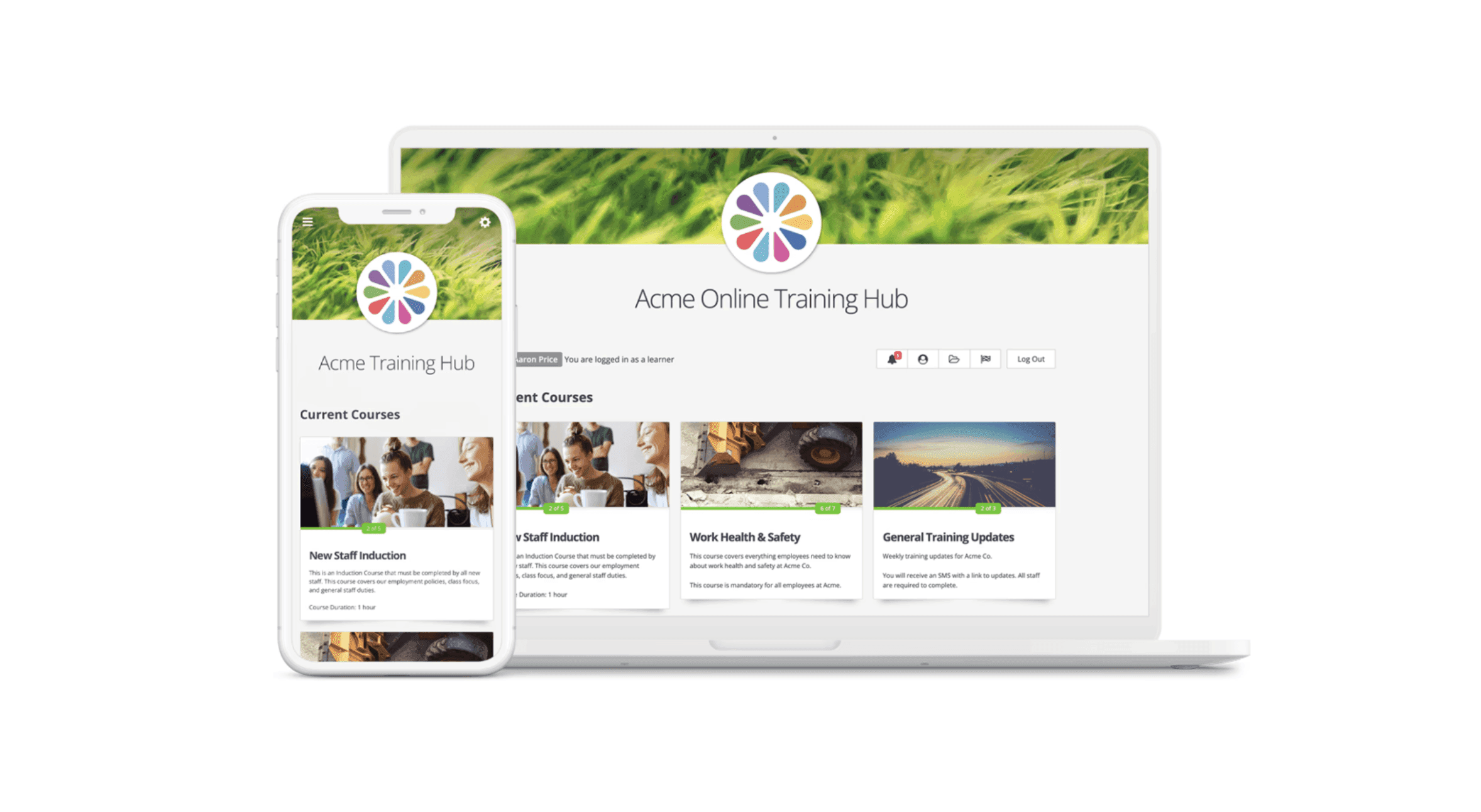
The structural fix is to remove the login entirely. Workers should receive their training as a single-tap link by SMS or email and complete the module on their own phone, with no password to forget and no portal to navigate. For a shift-based, mobile-first workforce, that one design choice — the core of an NDIS LMS built for frontline support workers — does more for completion than any amount of internal chasing. It is why providers who switch to no-password access see completion climb quickly — and why a 95%+ compliance rate across providers on the platform is achievable rather than aspirational.
Build the rollout around that reality: assume the worker is on their phone, between shifts, and give them the shortest possible path from "training due" to "training done".
Step 5: Drive completion, not just enrolment
Assigning training is not the same as completing it. The gap between the two is where compliance quietly slips — and where manual chasing eats your admins' week. Automate it instead:
Set due dates on mandatory modules so there's a clear deadline.
Let the system chase. Automated reminders nudge the worker as the deadline approaches, and overdue training escalates to their team leader — no one building a spreadsheet of non-completers.
Use SMS for the stragglers. A direct text with a single-tap link gets far better completion from frontline workers than another email.
Gate where it matters. For new starters, make induction completion a condition of the first shift, so training happens before the risk does.
Watch your compliance status move toward zero outstanding, and you have driven real completion rather than just switched the system on. For the detail on this, see our guide to getting your NDIS staff audit-ready.
The simplest version of all this: in Wyzed, you add an employee and it does the rest — onboards them, trains them for their role, then reminds them and keeps them compliant for as long as they're with you, without you doing anything. It's the easiest way to keep a workforce compliant, whether you have 5 staff or 500. Start free or book a Wyzed demo.
Step 6: Turn the rollout into audit evidence as you go
Here is the through-line every other guide misses: each rollout step should produce a piece of audit evidence. Do not treat compliance as a separate project you tackle later.
Role-based assignment → proof the right training reached the right people
Completion tracking → who completed what, and when
Licence and qualification tracking → current, expiring and expired credentials at a glance
Automated reminders → evidence of an active, ongoing system rather than an annual scramble
Set the system up so it produces one-click, audit-ready reports from day one, and your next NDIS audit becomes a retrieval exercise instead of a reconstruction. That is what "audit-ready" actually means: the evidence is a by-product of everyday use, not something you assemble under pressure — the point of an NDIS staff training compliance platform rather than a generic LMS.
How long a training rollout actually takes
Generic software implementations quote 90-day, twelve-week timelines. That is the timeframe for a full case-management or ERP platform — not for rolling out training. A training-specific rollout, with setup done for the provider and content already built, is measured in days:
Setup and migration: under 24 hours
Role-based assignment configured: same day
Workers receiving and completing training: within the first week
Full compliance (zero outstanding): typically inside a fortnight
If a vendor quotes months for a training rollout, ask what specifically takes that long — for pre-built NDIS content and done-for-you setup, it shouldn't.
Chris Lynch, Learning and Development Manager at Family Based Care (around 200 staff), describes exactly this: "The roll out took less than 24 hours and everything's been smooth since. We had 100% compliance across 200 employees, which I've never seen before in any system."
Common rollout failure modes (and how to pre-empt them)
Frontline access friction. The number one killer. If workers can't get in on a phone without a password, nothing else matters. Solve access first.
A migration evidence gap. Switching before records are verified. Keep the old system readable until the new one is confirmed.
Chasing completion by hand. It doesn't scale past a handful of staff. Automate reminders and escalation from day one.
Treating compliance as a later project. Wire the evidence in as you roll out, not after.
Rolling out everything to everyone at once. Sequence by role; start with the workers hardest to reach.
Features NDIS providers should compare in training software
When you’re comparing platforms, these are the features that actually decide whether a rollout sticks in an NDIS setting — and what to look for in each:
Feature | Why it matters for NDIS providers | What to look for |
|---|---|---|
Mobile, no-password access | Frontline workers complete training between shifts on shared devices | Single-tap SMS or email link, no portal or password |
Completion tracking | Enrolment isn’t compliance — you need proof of completion | Real-time status: who completed what, and when |
Role-based learning paths | Each role has different mandatory training | Requirements defined once, assigned automatically by role |
Automated reminders and escalation | Manual chasing doesn’t scale on a casual workforce | Due dates, reminders, and overdue escalation to team leaders |
Licence and certificate tracking | Lapsed clearances are an audit risk | Expiry tracking with current, expiring and expired at a glance |
Manager and site reporting | Leaders need to see gaps by team and site | One-click reports by worker, role and site |
Audit-ready records | Audits require retrievable evidence | Exportable completion and licence history on demand |
Local NDIS support and content | NDIS-specific setup and content save weeks of work | Done-for-you setup, pre-built NDIS-mapped content, AU support |
Pros and cons of remote training software for NDIS providers
Pros
Easier staff onboarding across multiple locations and shifts
Clear visibility over who has completed which training
More consistent delivery of compliance and role-based training
Less manual admin — reminders and escalation run themselves
Better record keeping for audits and internal reviews
Cons
Staff adoption can take time without the right access design
Poorly structured courses can reduce completion rates
Providers still need to keep training content current
Some workers may need support with mobile or digital access
Still choosing the platform to roll out? Start with the best LMS for NDIS providers, and compare the options in Wyzed vs Go1.
Frequently asked questions
How do I roll out training software to NDIS support workers?
Assign mandatory training by role, send it as a single-tap SMS or email link so workers complete it on their phone with no password, automate reminders for anyone overdue, and track completion until nothing is outstanding. Start with support workers, then leaders, then admin.
How long does it take to implement NDIS training software?
A training-specific rollout takes days, not months. With done-for-you setup and pre-built NDIS content, migration can be completed in under 24 hours, assignment configured the same day, and full compliance typically reached within a fortnight.
How do I migrate training records without failing an audit?
Load completed training and current certifications into the new system so the history carries across, keep the old system readable until every record is verified, and confirm nothing lapsed during the switch. At no point should you be unable to prove a worker's training status.
Why do support workers not complete online training?
Usually because of access friction — passwords, portals and shared devices on a mobile, shift-based workforce. Removing the login with single-tap SMS or email access, and automating reminders, is the most effective way to lift completion rates.
Does training software help with NDIS audits?
Yes. A well-implemented system produces audit-ready evidence as a by-product of everyday use: role-based assignment history, completion records, and licence expiry tracking, all exportable on demand — so audits become a retrieval exercise, not a reconstruction.
About the author
Aaron Price is the founder of Wyzed, the LMS purpose-built for NDIS providers. He has worked with more than 300 Australian disability service providers on making staff training simple, customisable and audit-ready, and writes about NDIS compliance, workforce training and choosing the right tools for the sector. Connect with Aaron on LinkedIn.
Sources
NDIS Quality and Safeguards Commission. "NDIS Practice Standards." ndiscommission.gov.au
NDIS Quality and Safeguards Commission. "Worker training modules." ndiscommission.gov.au
NDIS Quality and Safeguards Commission. “Worker screening.” ndiscommission.gov.au
NDIS Quality and Safeguards Commission. “NDIS Code of Conduct.” ndiscommission.gov.au
Wyzed platform data, July 2026: migration time, completion rates and compliance outcomes across Australian disability service providers using Wyzed.